Open Source · X11 & Wayland

Your apps,
beautifully launched.

LinxPad brings a macOS-style fullscreen app launcher to Linux — fast, elegant, and distraction-free.

⬇ Download View on GitHub

Everything you need,
nothing you don't.

A focused launcher built for productivity and aesthetics on any Linux desktop.
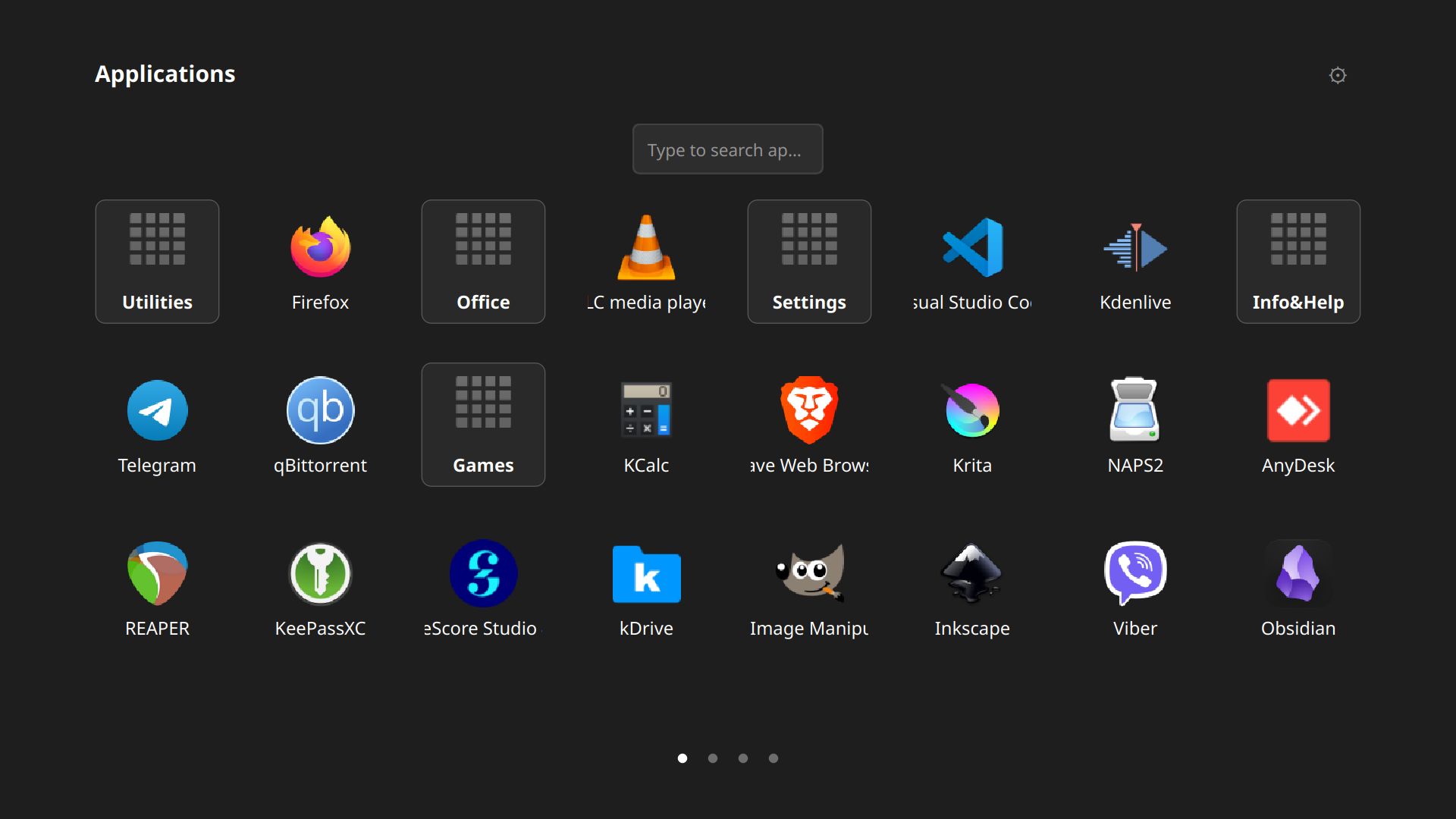
Pages and folders

Pages & Folders

Organise your apps into folders and swipe through pages — just like you're used to.
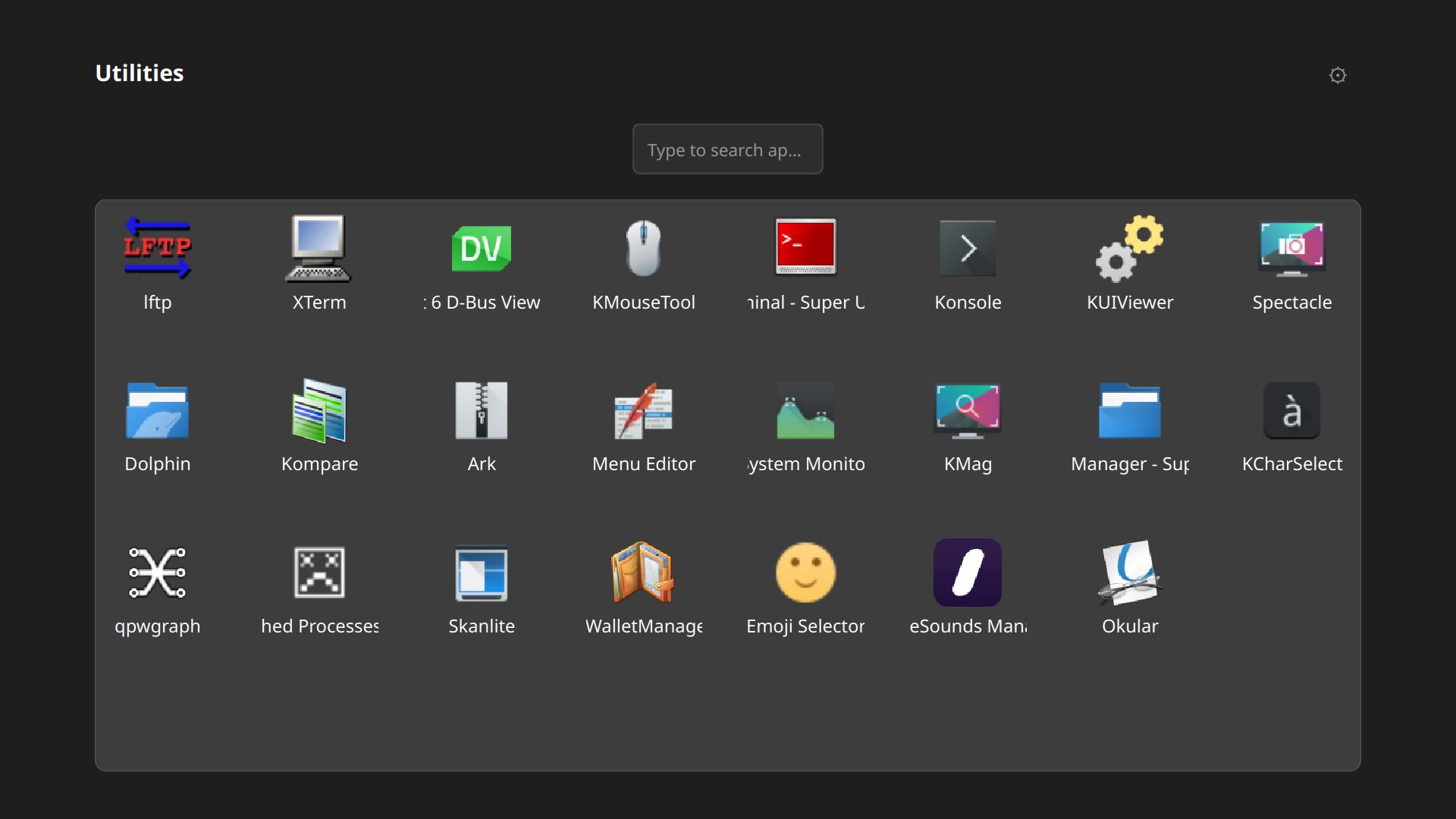
App folder

App Folders

Group related apps into folders with drag-and-drop reordering for a tidy grid.
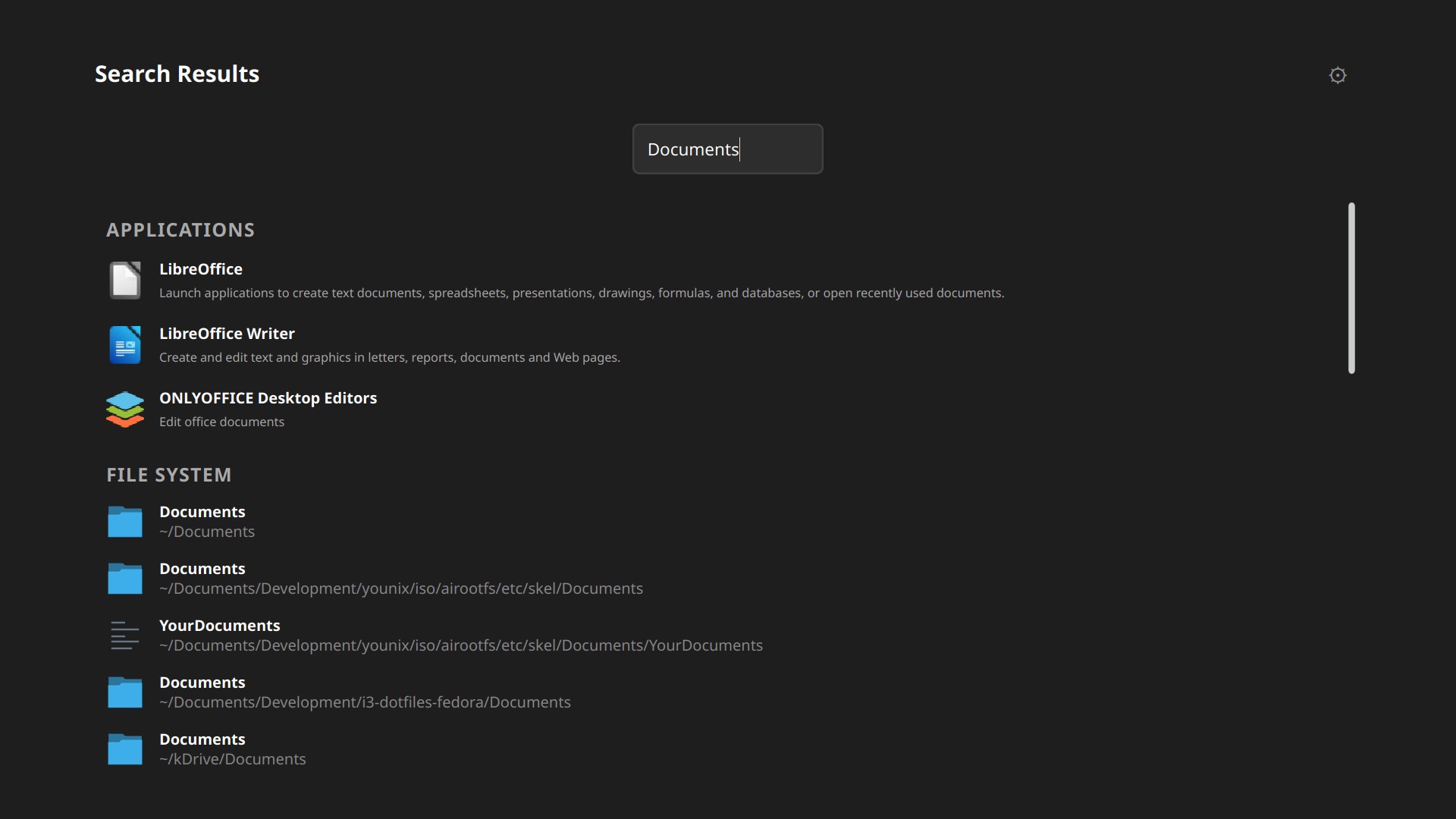
Search apps

Instant Search

Start typing anywhere to search apps and folders — results appear instantly.
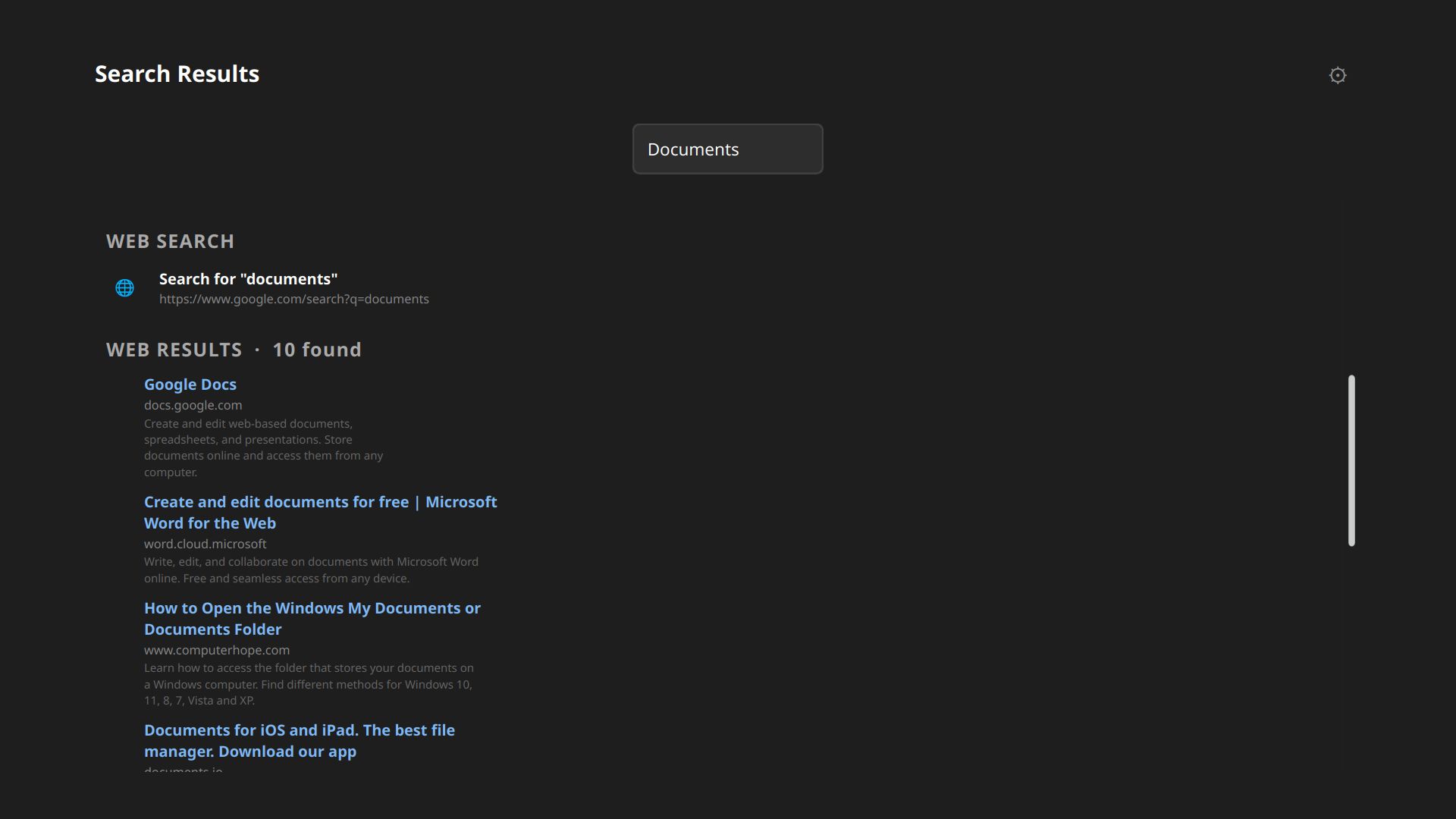
Web search

Web Search

Search the web directly from the launcher without switching to a browser first.
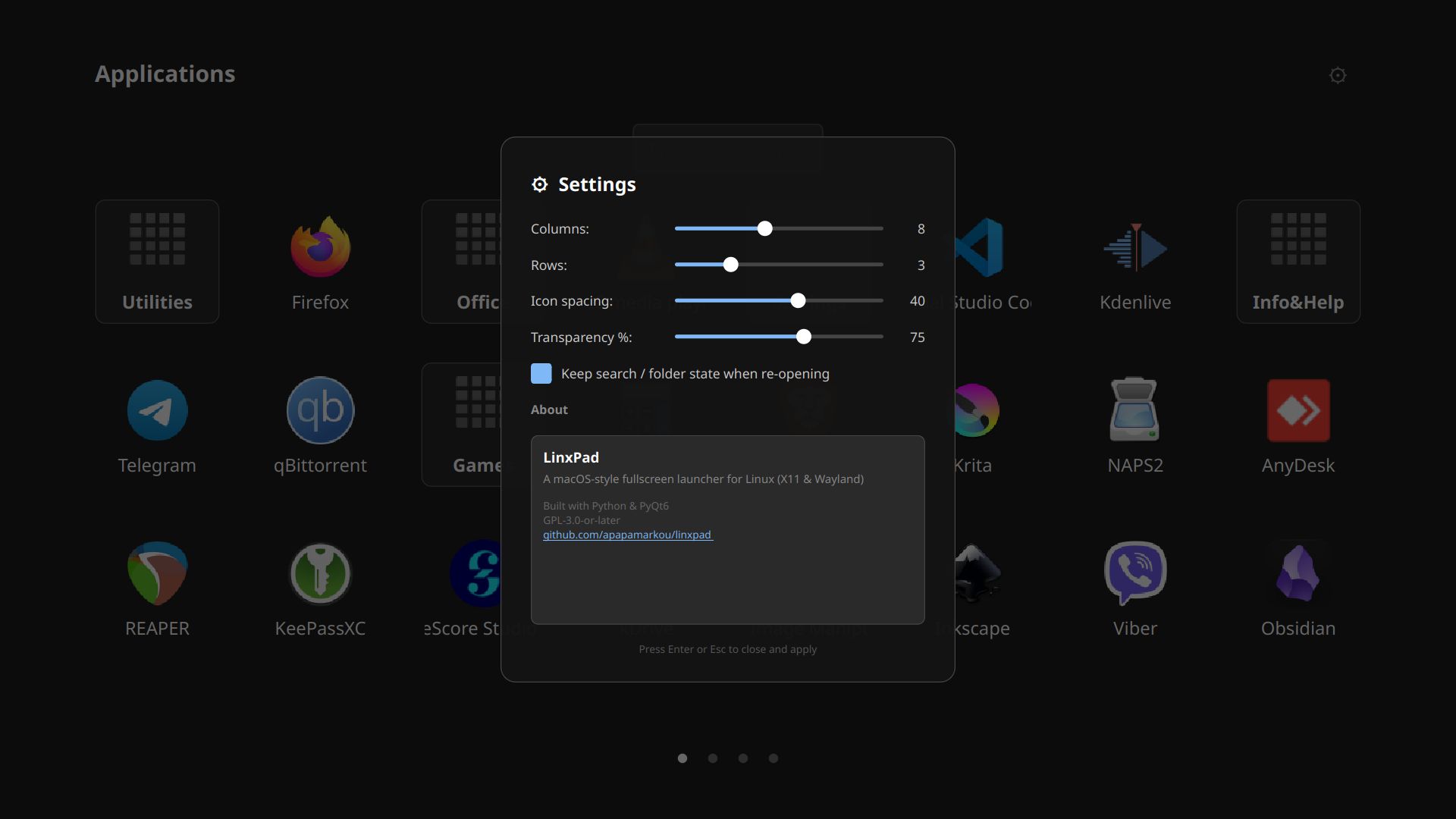
Settings

Settings

Tune grid size, font, transparency, and launch mode to match your workflow.

Watch the demo.

A quick walkthrough of LinxPad's features on a real Linux desktop.

Built for the Linux desktop.

🖥️

X11 & Wayland

Works seamlessly on both display server protocols.

Live Reload

Detects new or removed apps automatically

🔓

Use Everywhere

Works in any desktop environment or window manager.

🐍

Python + PyQt6

Lightweight, hackable, and easy to extend.

Get LinxPad for your distro.

Pre-built packages for the most popular distributions, plus a universal AppImage and Flatpak.

Tarball

Tarball

Universal installer for any distro

Download
Debian

DEB

Debian 13

Download
Ubuntu

DEB

Ubuntu 24.04

Download
openSUSE

RPM

OpenSUSE Tumbleweed

Download
Fedora

RPM

Fedora 43

Download
AppImage

AppImage

Any Linux x86_64 — no install needed

Download
Flatpak

Flatpak

Any Linux with Flatpak installed

Download

All packages are available on the GitHub Releases page.

Help keep LinxPad alive.

Buy me a coffee

LinxPad is free and open source. If it makes your Linux desktop a little nicer, consider supporting its development.

☕ Buy me a coffee

You can also star the repo, share it, or contribute code — every bit helps!

The story behind LinxPad.

LinxPad main view

LinxPad was born from a simple desire: to have the clean, fullscreen app launcher experience of macOS on a Linux desktop — without compromise.

It reads standard .desktop files, respects your existing app ecosystem, and stays out of your way until you need it. Press a key, find your app, launch it.

Built with Python and PyQt6, it's lightweight, hackable, and welcomes contributions from the community.

GPL-3.0-or-later Python 3.11+ PyQt6 6.4+ X11 Wayland